
So, you’ve started your journey into the wonderful world of German. You’ve mastered “Guten Tag,” you know that a “Handy” is a mobile phone, and you’re starting to understand why Mark Twain was so grumpy about this language. But then, it happens: You need to write a message to your teacher, and you realize your keyboard is missing the most important ingredients.
Where are the dots? Where is that weird “B” with a tail?
In German, we call them Umlaute (ä, ö, ü) and the Eszett (ß). Using “ae” or “ss” is a valid backup, but let’s be honest—it doesn’t feel like real German, does it? Whether you are on Team Windows or Team Apple, I’ve got the secret codes for you.
🍏 The Apple Universe (Mac & iPad)
Apple users, you have it easy. Seriously, it’s almost like the designers in Cupertino were secret fans of German philosophy.
1. The “Hold and Pray” Method This is the easiest way. Simply hold down the letter on your keyboard (a, o, u, or s). A small menu will pop up with numbered options. Just hit the number for the version you want.
- Teacher’s Tip: This is great for emails, but it can slow you down if you’re typing a long essay about the history of Currywurst.
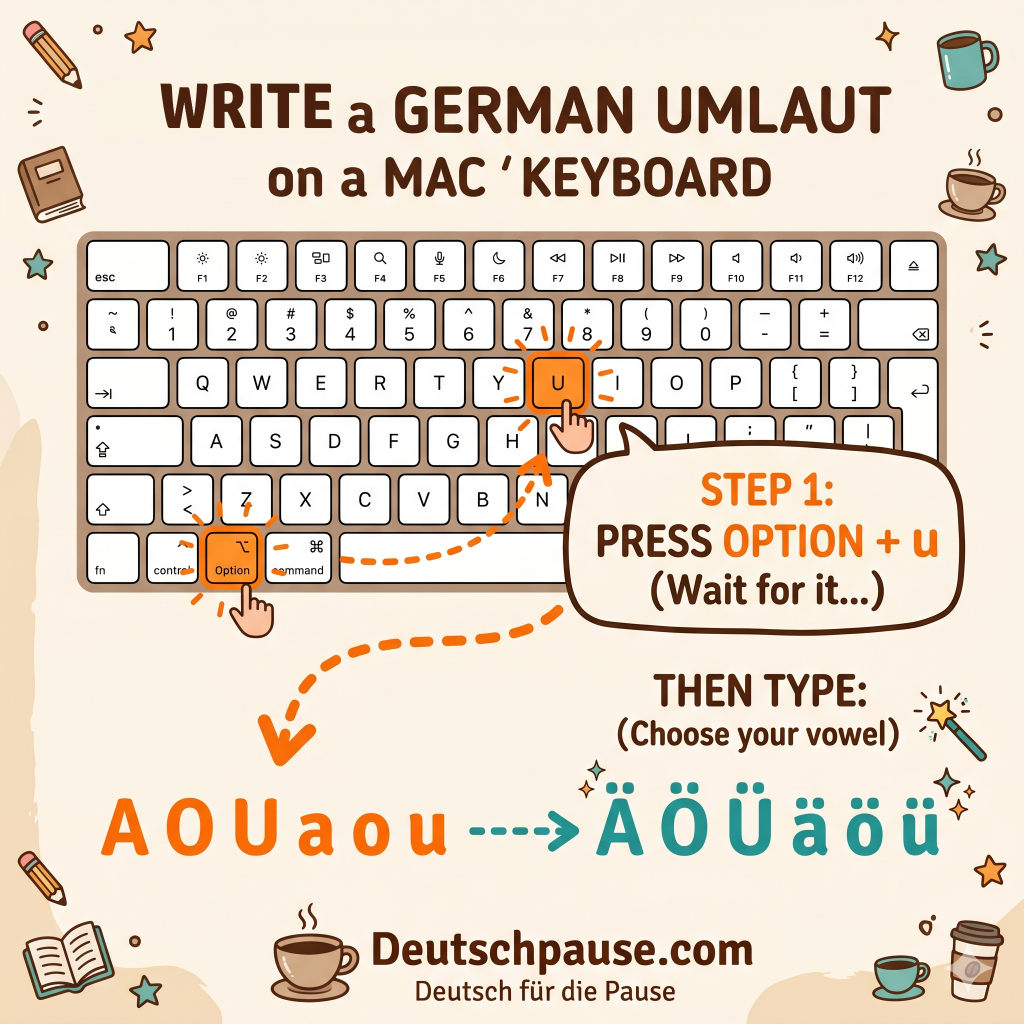
2. The Option Key (The Pro Way) If you want to feel like a typing ninja, use the Option (Alt) key:
- ä: Press
Option+u, then release and pressa. - ö: Press
Option+u, then release and presso. - ü: Press
Option+u, then release and pressu. - ß: Press
Option+s. (Easy, right?)
🪟 The Windows World
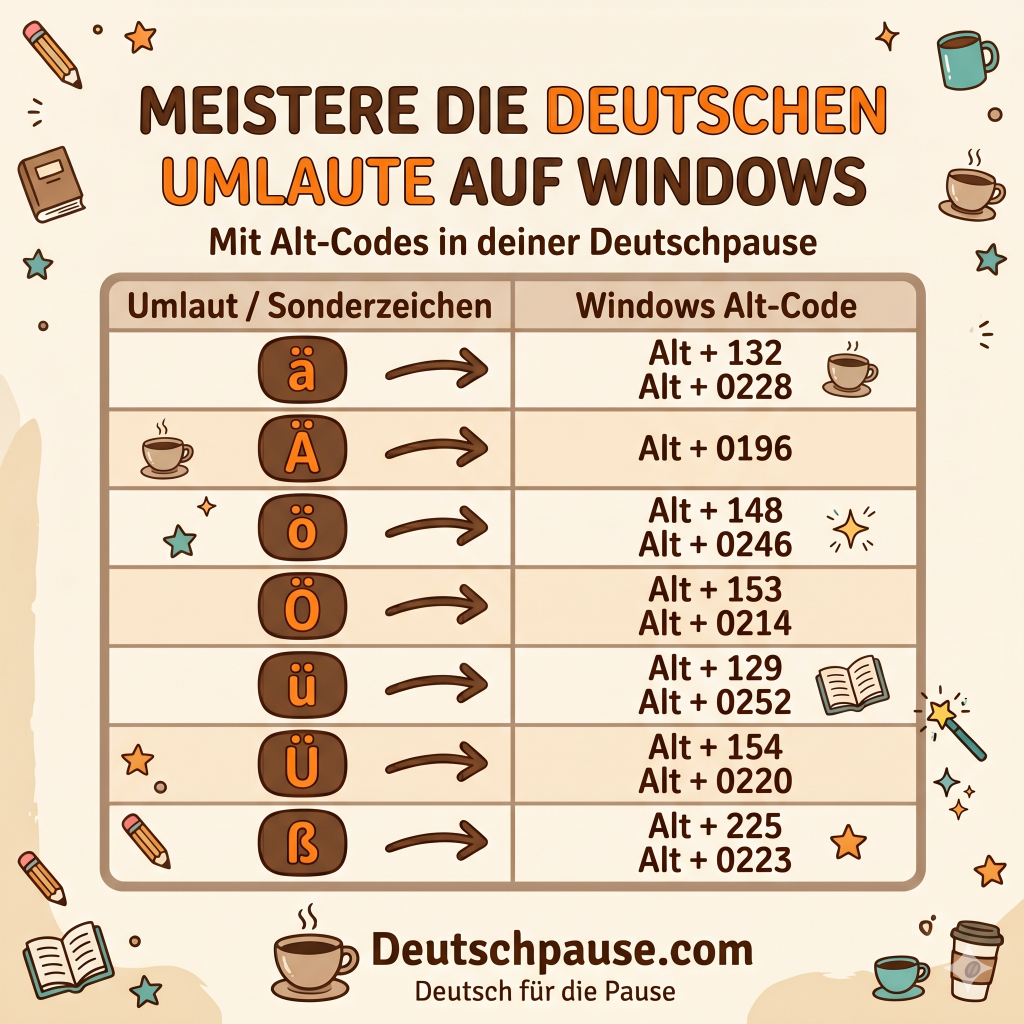
Windows is a bit more… “old school.” It requires a bit of finger gymnastics, but once you learn it, you’ll never forget it. We use Alt Codes. You must hold the Alt key and type the numbers on the number pad (the block of numbers on the right). The upper number row does not work for this combination.
| Character | Windows Alt Code |
| ä | Alt + 132 / Alt + 0228 |
| Ä | Alt + 0196 |
| ö | Alt + 148 / Alt + 0246 |
| Ö | Alt + 153 / Alt + 0214 |
| ü | Alt + 129 / Alt + 0252 |
| Ü | Alt + 154 / Alt + 0220 |
| ß | Alt + 225 / Alt + 0223 |
Save this picture to have to codes on hand next time:
Wait, I don’t have a number pad! If you are on a laptop without a separate number block, don’t panic. You can install the “United States-International” keyboard layout in your settings. Once active, you just type " (quotation marks) followed by the vowel to get the dots!
💡 The “I’m Lazy” Hacks (My Favorites)
If codes and shortcuts make your head spin, here are three “cheats” that I actually recommend to my students:
1. The Copy-Paste Graveyard
Open a “Sticky Note” or a Word/Text Doc and type ä Ö ü Ü ß once. You can copy them from a website. Pin it to your taskbar. Whenever you need a character, just copy and paste. It’s low-tech, but it works every time.
2. Keyboard Stickers
You can buy tiny transparent stickers for your keys for about $5 online. They show you where the German characters would be if you switched your software/computer language to “German.”
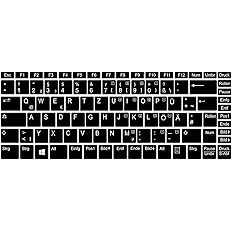

- Warning: The German (QWERTZ) keyboard swaps the Y and the Z. It will drive you crazy for the first week!
3. Auto-Correct is your Friend
In programs like Microsoft Word or Google Docs, you can set up “Auto-Replace.” Tell the computer: “Every time I type ‘aae’, change it to ‘ä’.” It takes 5 minutes to set up and saves you hours of frustration.
🧐 Why does it matter?
You might think, “Can’t I just write ‘ue’?” Technically, yes. If you can’t produce an ü, writing ue is the correct alternative. However, be careful! Sometimes the dots change the whole meaning.
- schon = already
- schön = beautiful
- schwul = gay
- schwül = moist (weather)
You can create some strange confusion in your texts if you ignore the German Umlaute!
🎓 Summary for my Students
Learning a language is hard enough—don’t let your keyboard be your enemy. Pick one method today (I recommend the International Keyboard Layout for Windows or the Option key for Mac) and practice it for five minutes. Your German friends (and your teacher!) will be very impressed.
Happy typing, and remember: Übung macht den Meister! (Practice makes perfect!)
Hinweis: Dieser Artikel enthält Affiliate-Links. Wenn du über diese Links etwas kaufst, erhalte ich eine kleine Provision, ohne dass es für dich teurer wird. Danke für deine Unterstützung!